About the project
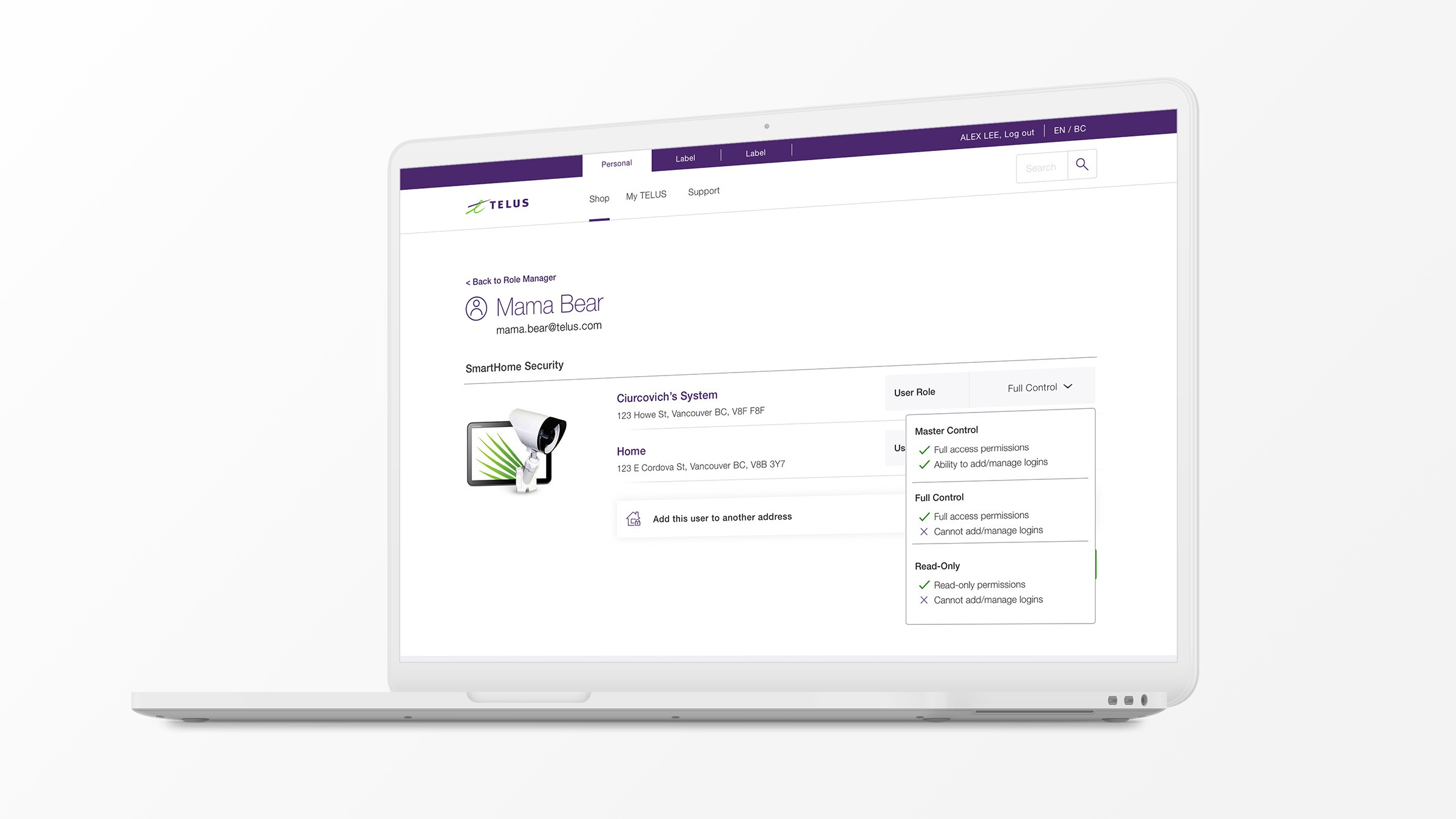
After TELUS acquired Alarm.com, we needed to integrate home security user management into the My TELUS platform. The system wasn't built for it—we had to create a scalable solution that let account holders invite people and manage their permissions for home security.
Our goal was to help 400 customers invite users to manage home security and facilitate 300 successful invitation acceptances within 6 months.
Client
TELUS Digital
Services
User Experience, User Interface
Role
Lead Designer
Year
2019
What frustrated users about Alarm.com's user management?
How many household profiles did users typically create?
What would stop users from migrating their accounts?
What did we learn?
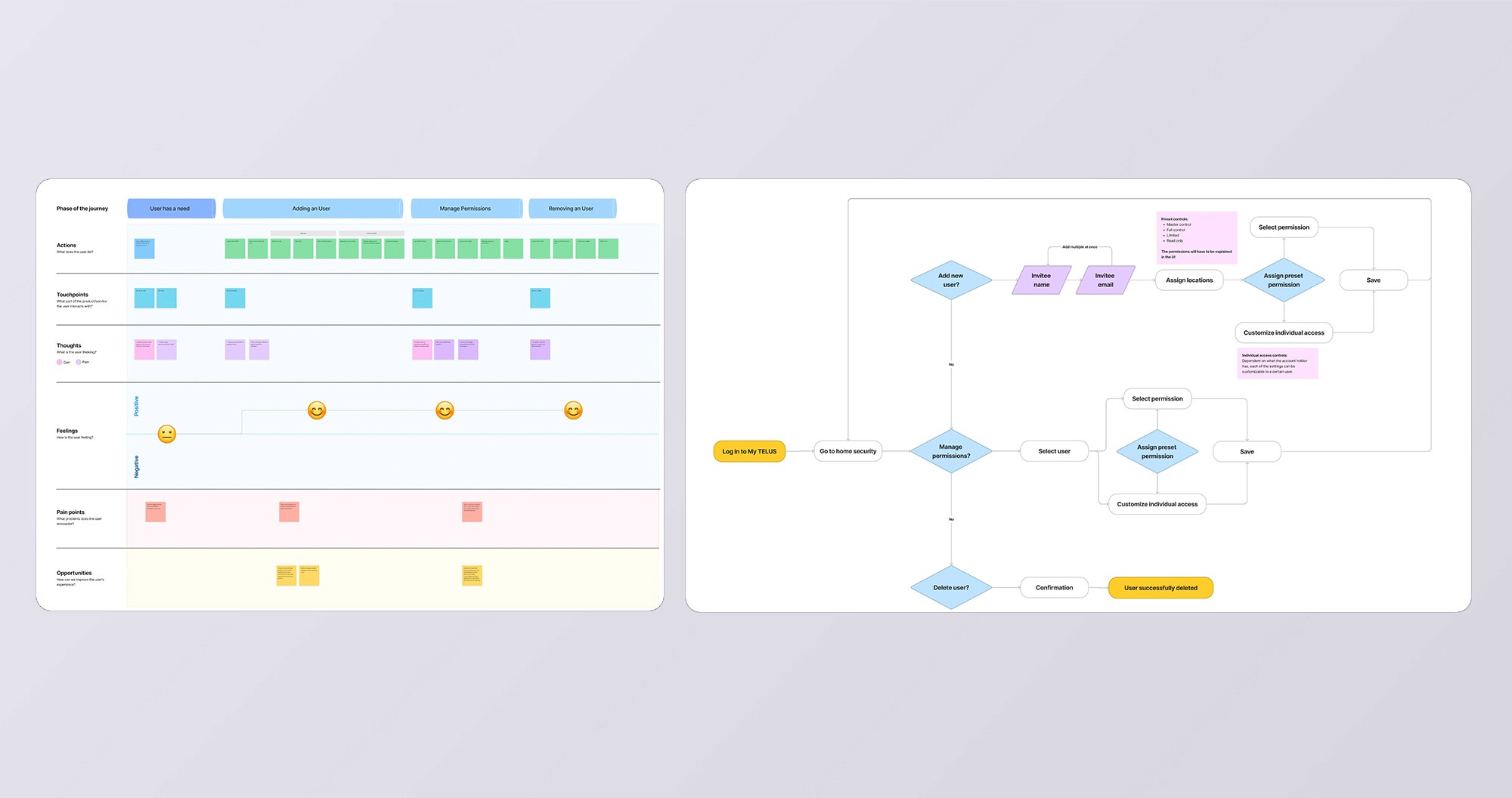
Based on the research I conducted, we were able to distill our findings into some key insights:
Users are unfamiliar with the experience: Migration to My TELUS introduces a new platform, leaving users uncertain about the process.
The migration process may require too much manual input: Users must re-invite individuals, making the process feel tedious and time-consuming.
Users are confused about the separation of Alarm.com and My TELUS: Users may struggle to understand the distinct roles and capabilities of My TELUS and Alarm.com, leading to workflow disruption.
Home security role manager and permissions
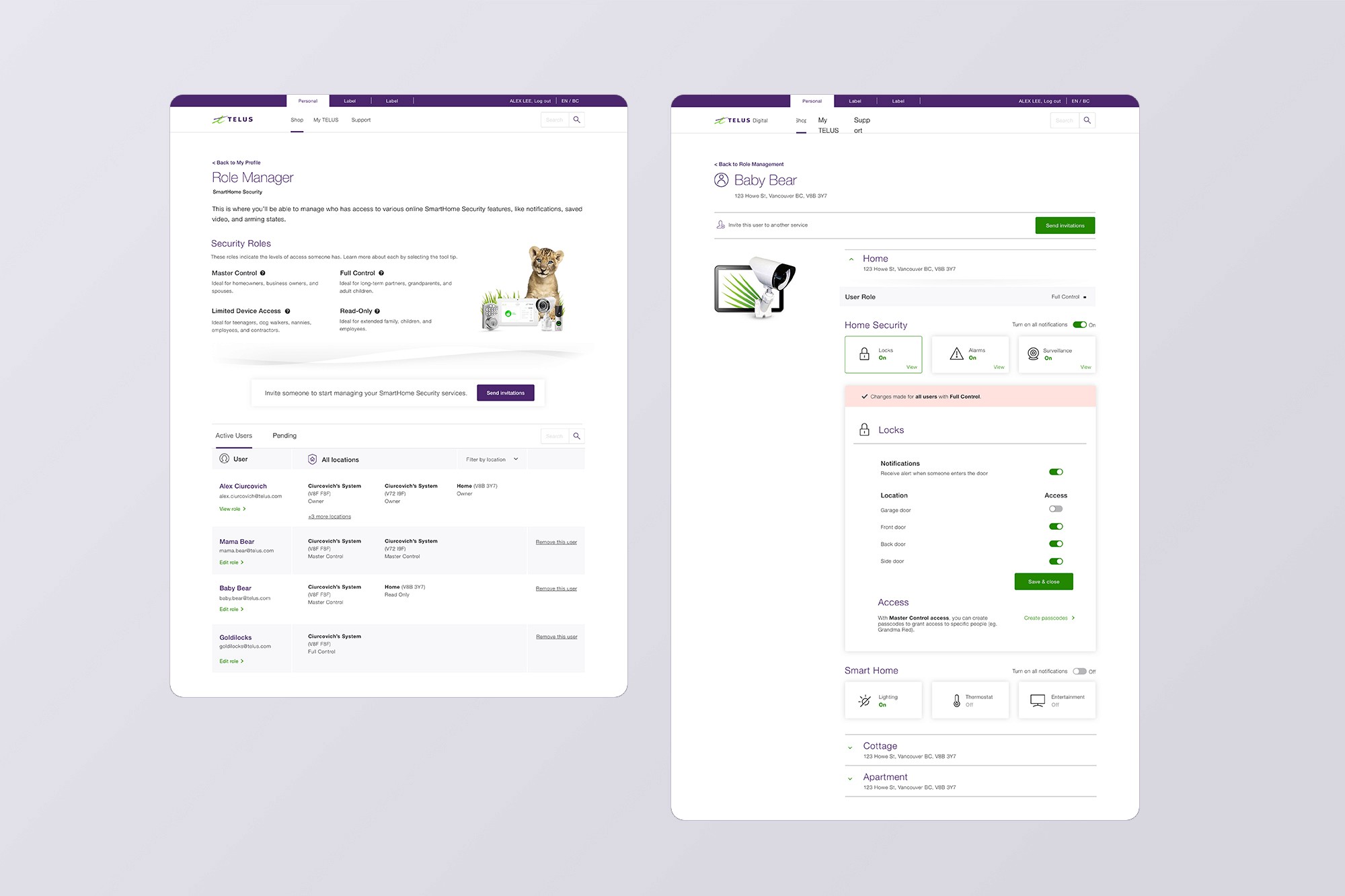
The dashboard simplifies inviting people to manage home security. Bulk invitations for multiple households make it efficient, especially for new users setting everything up for the first time.
Subscriber invitation
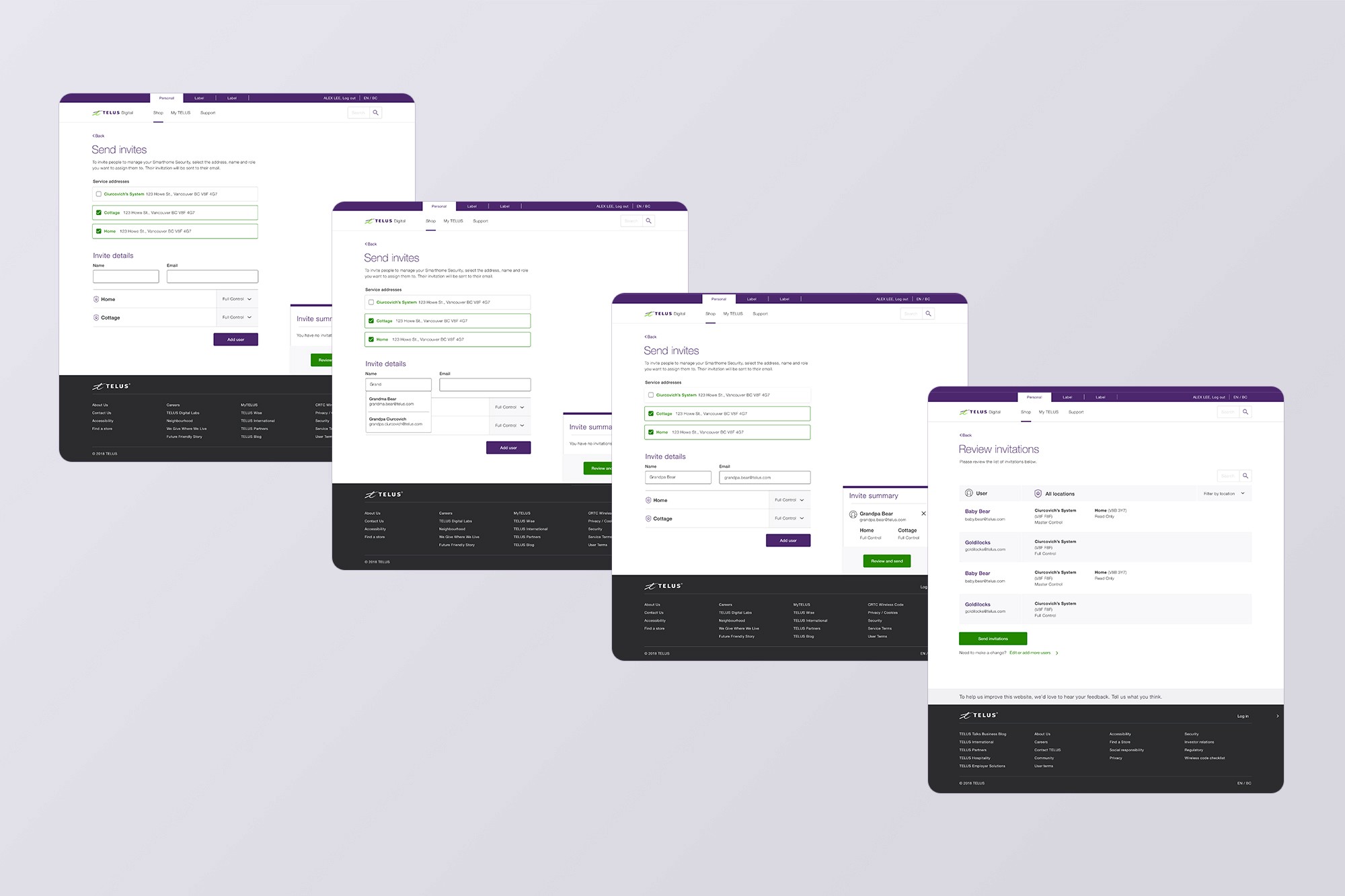
Account holders can easily invite individuals to oversee home security controls. The interface supports bulk invitations across multiple homes, streamlining the process for users just getting started.
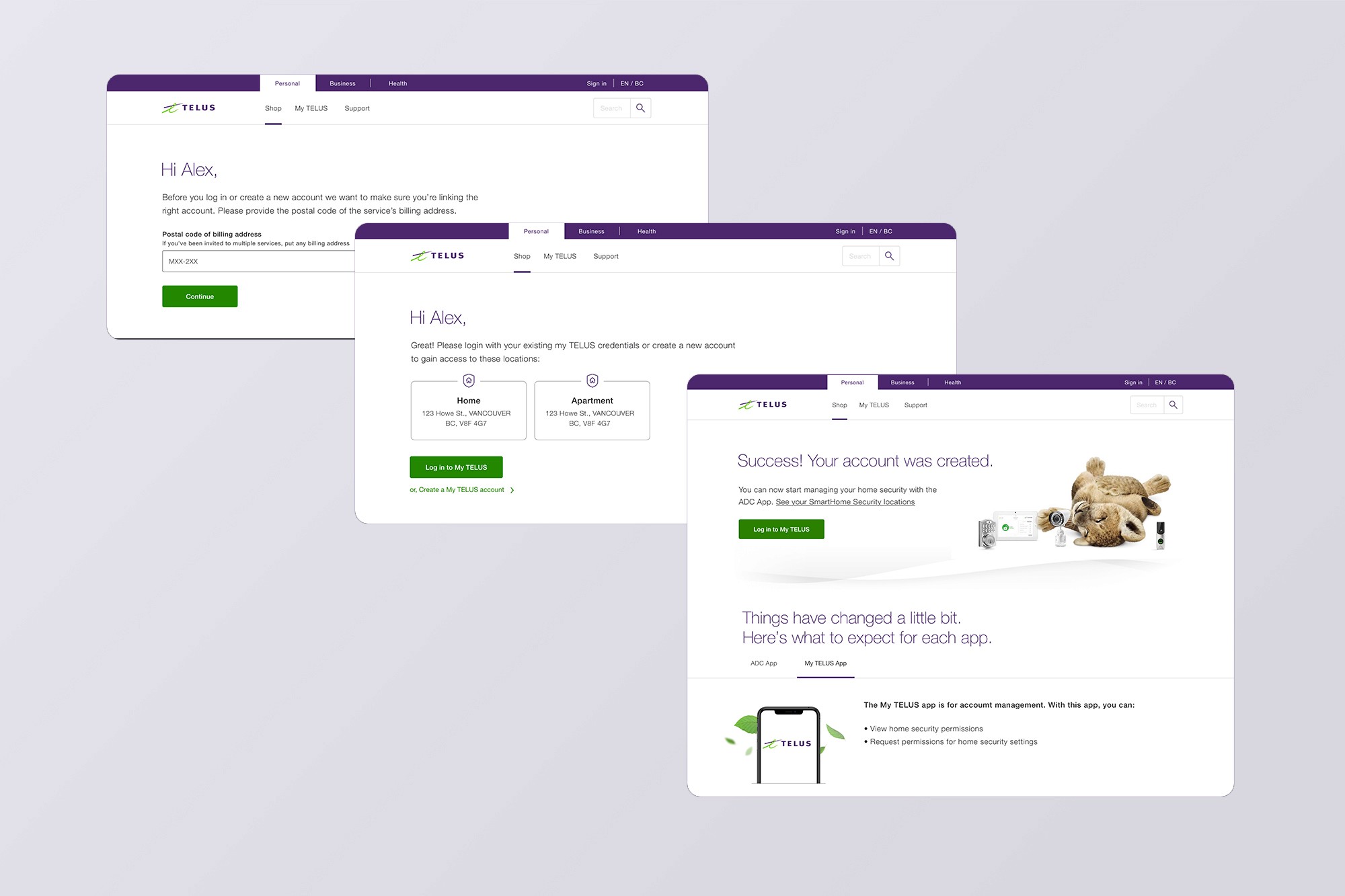
Accept invitation flow
The onboarding flow for subscribers migrating to My TELUS uses clear, structured steps. It enhances transparency and clarifies the roles of both platforms, creating a more intuitive experience.
What happened and what did we learn?
We didn't hit our targets. Product goals weren't aligned with broader business goals, which impacted results. We helped 218 account managers successfully invite subscribers, but only 198 accepted invites—falling short of our 400 and 300 goals.
The project provided valuable insights that contributed to its success and influenced my approach to future work.
Alignment isn't automatic: Multiple stakeholders meant we needed constant coordination. Gaps in alignment led to delays and mismatched expectations that ultimately affected launch. This reinforced that alignment takes active, ongoing work—not just kickoff meetings.
Communicate early and often: Frequent check-ins and progress reviews are essential, especially in complex cross-functional projects. Waiting too long between touchpoints let misalignment creep in unnoticed.