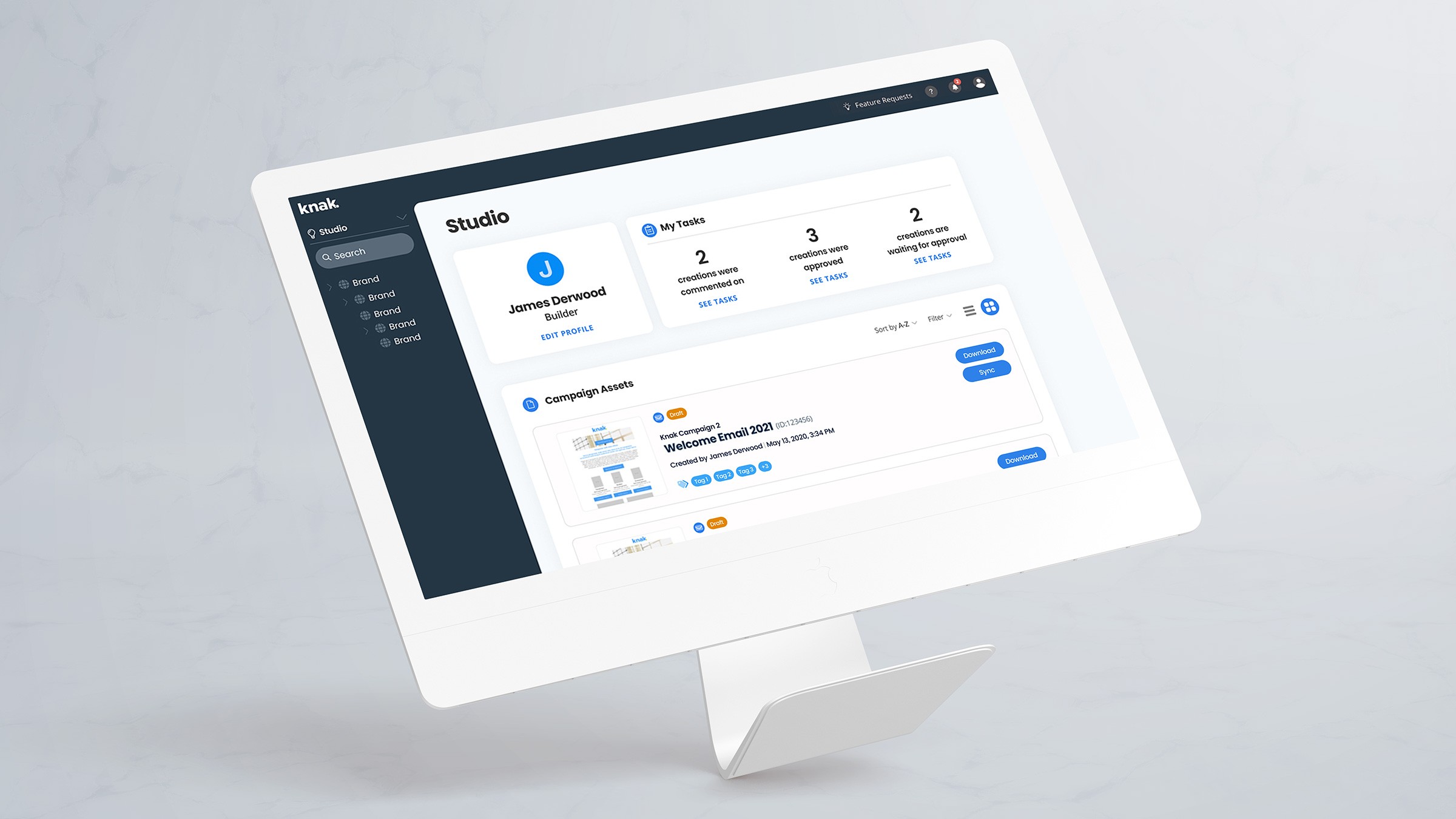
About the project
Knak is a no-code email and landing page builder for enterprise marketing teams. It integrates with Marketing Automation Platforms (MAPs), allowing marketers to create campaign assets and sync them directly without developer support. As users managed more campaigns and assets, organizing and finding content became a critical workflow challenge.
With no real structure, users were stuck scrolling through endless lists or relying on external tools just to stay organized. We built a custom folder system so users could finally organize things their way, by project, campaign, or whatever made sense for them.
Our goal was to get users to create 800 new campaigns and successfully migrate 20 customers to the new folder structure within 6 months.
Client
Knak
Services
User Experience, User Interface
Role
Lead Product Designer
Year
2022
What made the current platform frustrating to use?
What tools were people using to manage their files and documents?
What was actually working well in the current platform?
How did users organize their assets day-to-day?
Which Marketing Automation Platforms (MAPs) were most popular?
How many campaigns were users juggling at once?
The problems we uncovered
Everything was lost: Limited filtering meant users couldn't find older assets, they were stuck with whatever showed up in their recent-access list.
Constant context switching: Users relied on external tools like Google Sheets to track assets, constantly jumping between platforms for campaign creation, timelines, and approvals.
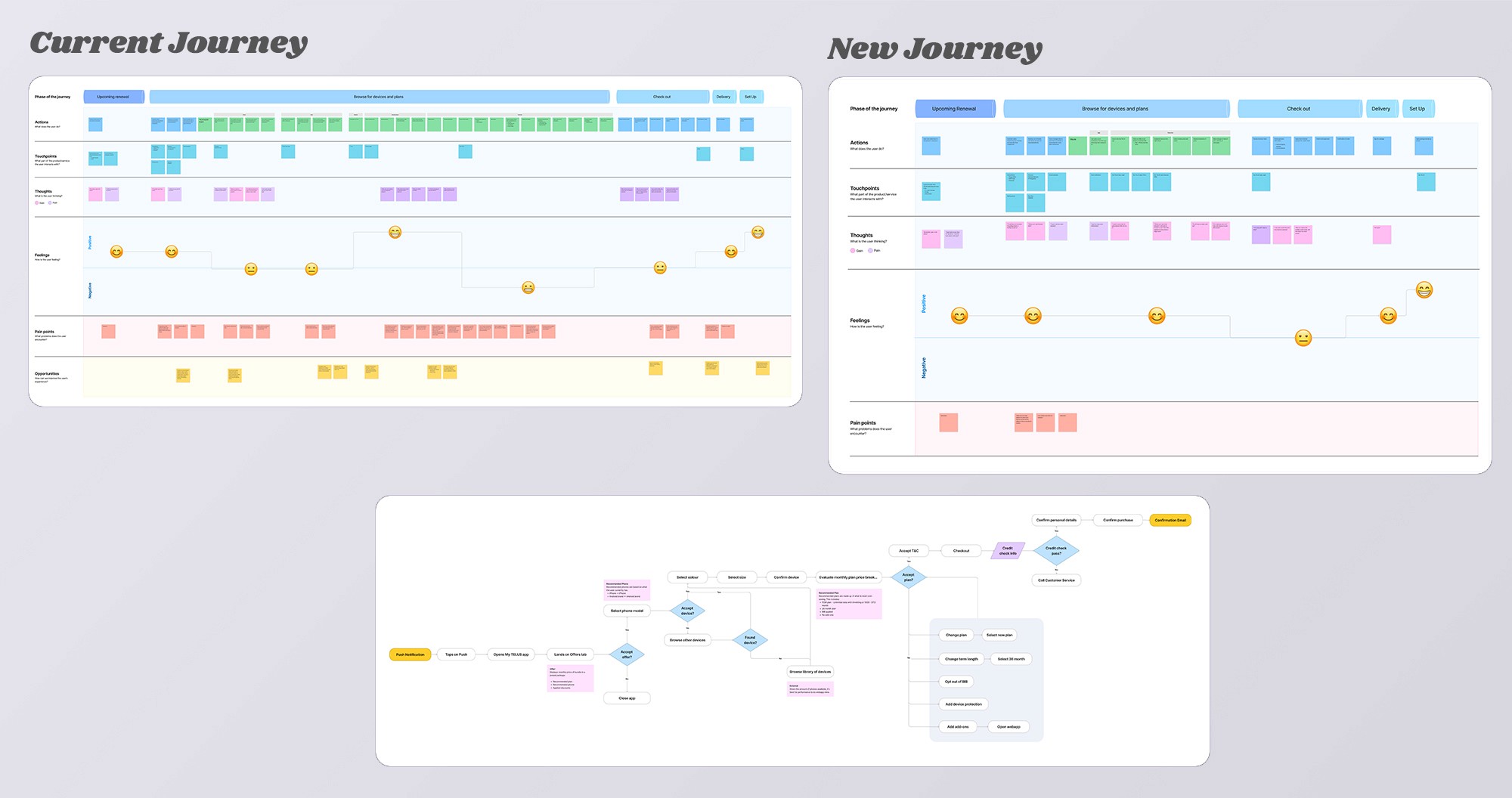
What did we learn?
Campaigns have multiple assets: Most campaigns involved at least five emails or landing pages, making it tedious to find and sync them one by one.
Naming conventions were a mess: Complex names with project codes, client names, and dates made our search basically useless.
Familiar workflows matter: Users wanted the platform to sync assets like their MAPs did.
Disorganization kills productivity: Navigating a chaotic system for simple tasks pulled users out of their flow, reducing efficiency.
Let users group assets into folders and sync them in bulk.
Build a file structure that works for both search and browsing.
Create persistent navigation so users can find assets in multiple ways,
Mirror familiar MAP syncing workflows so the experience feels natural.
Add a dashboard with relevant links and to-dos as a central hub.
We sketched quick wireframes, moved to high-fidelity designs, and internally and externally tested them continuously until we were ready for development.
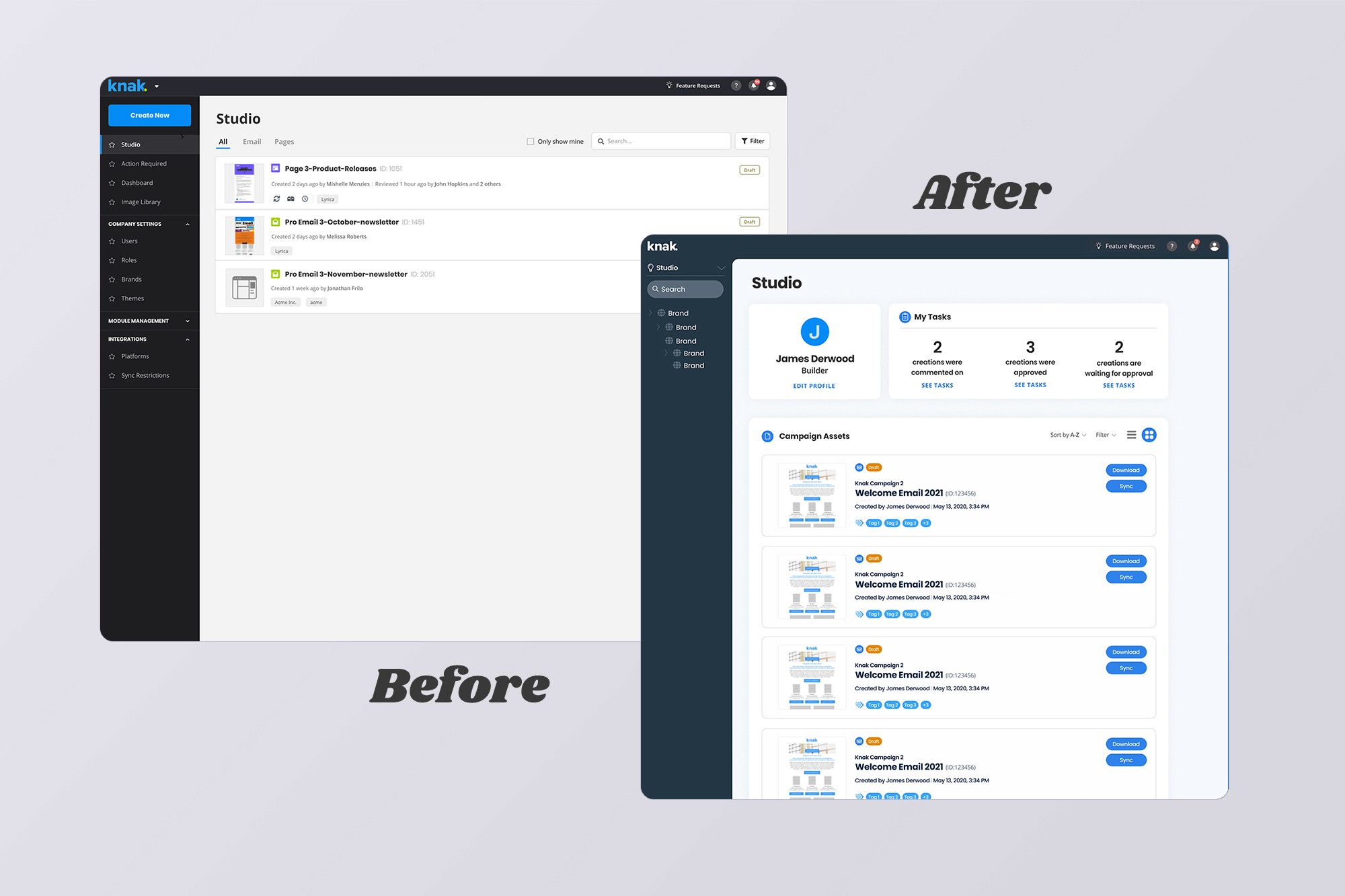
Landing page
The before and after design for the landing page.
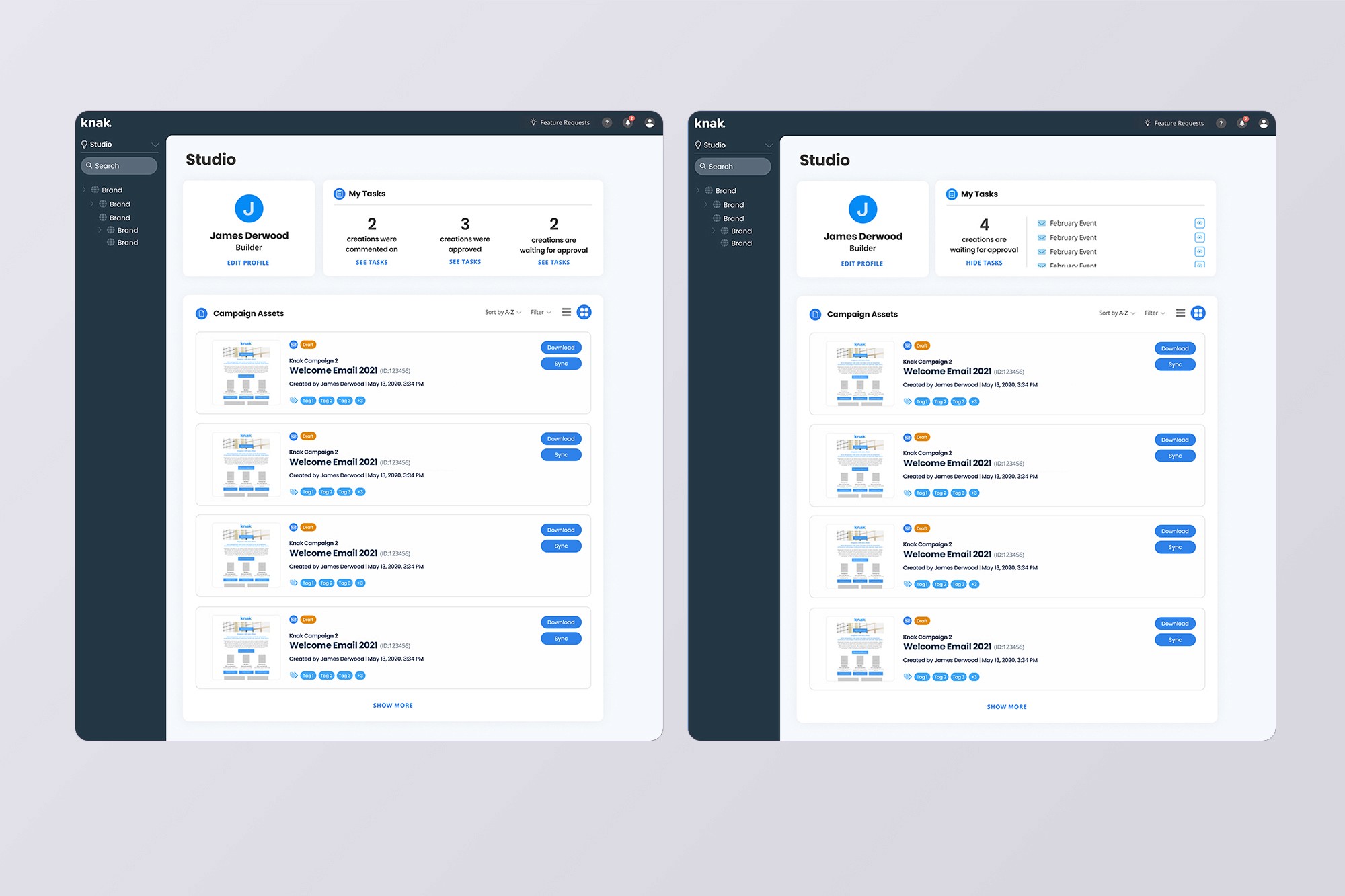
Dashboard
The dashboard shows what's happening now: pending tasks, assets waiting for review, recently created or edited items, and shortcuts to streamline workflows.

Intuitive actions
Bulk drag-and-drop makes reorganizing fast, while right-click shortcuts keep common actions accessible. Persistent CTAs ensure the interface stays friendly for different work styles.
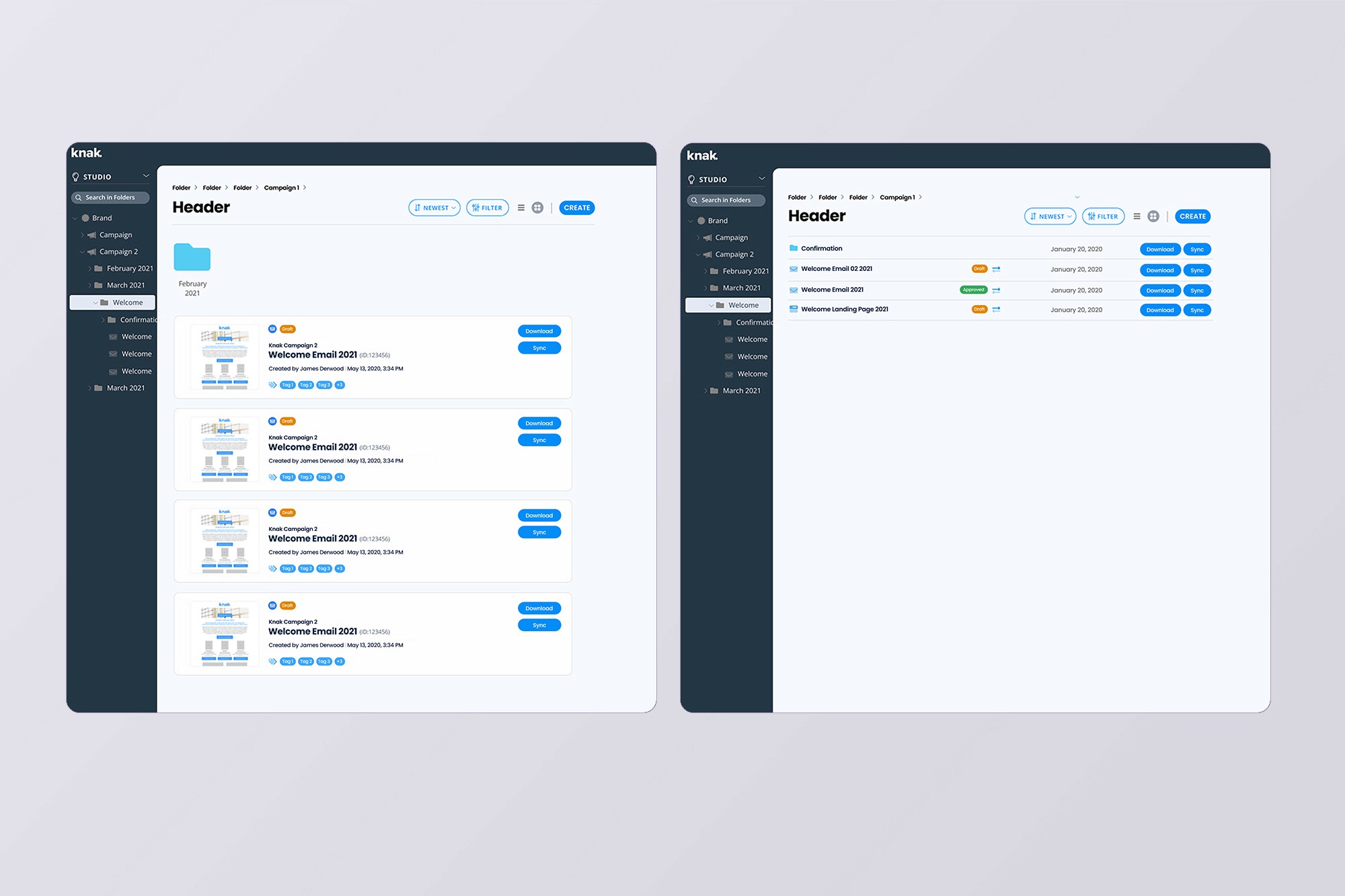
Folders
Users have complete control over how they organize assets. Toggle between thumbnail and list views based on preference, and sync entire folders at once instead of asset by asset.
What happened and what did we learn?
The beta phase validated what we suspected. People wanted better organization. Users created 630 folders in 5 months, and 18 customers reorganized their content over 6 months. We hit our folder creation goal but fell slightly short on customer migration, mostly because users were slammed creating holiday campaigns and some simply didn't need to revisit old assets at all.
This one reinforced an important principle:
This project highlighted the importance of close collaboration with engineers to ensure solutions are technically feasible while meeting user needs as it was a large architectural change in the database as well.