About the project
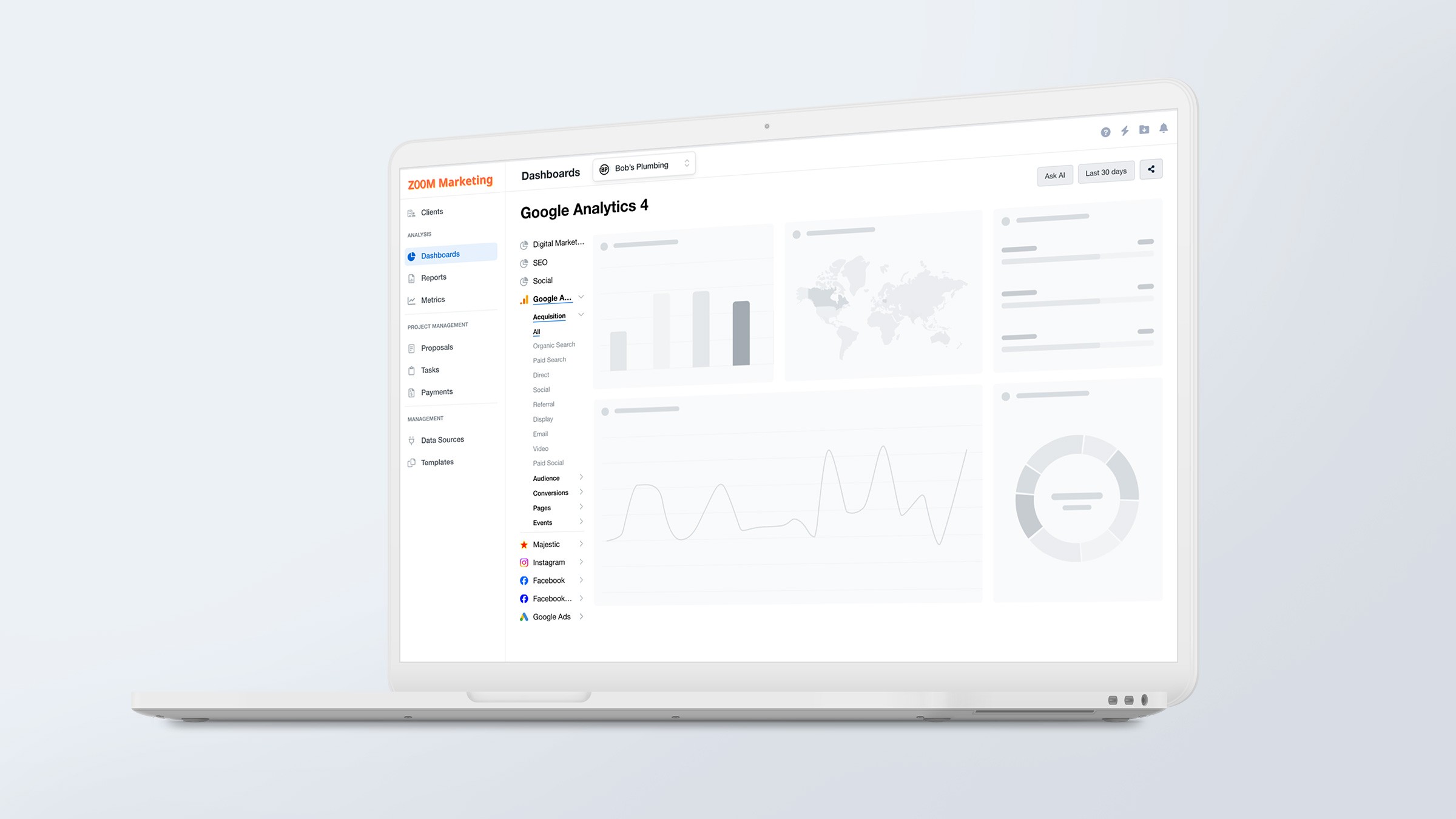
AgencyAnalytics is a reporting platform for marketing agencies. It integrates with advertising and marketing platforms to consolidate data into dashboards and reports that agencies use to track campaign performance and share results with clients.
The platform handles customization at two levels: individual projects and campaigns, plus agency-wide branding. This required a two-tier navigation system that became harder to scale. Every time we added a feature, it became less obvious where things belonged. Users got lost doing basic tasks, relied on workarounds, or had to backtrack constantly. We needed to give people a navigation system they could actually trust.
Our goal was to cut navigation-related complaints on Intercom by 50% and improve our SUS and NPS scores.
Client
AgencyAnalytics
Services
IA, User Experience, User Interface
Role
Senior Product Designer
Year
2025
We had a lot of ground to cover, so we broke it into three buckets:
Understanding the problems
What did stakeholders think was broken?
What navigation issues came up most often?
What frustrated users the most?
What was actually working well?
Understanding user behavior
Which pages got the most traffic?
Which pages were viewed together in the same session?
What paths did users take most often?
What content were people struggling to find?
Understanding the structure
How did our navigation compare to similar platforms?
How solid was our current information architecture (the sitemap and labels)?
The problems we uncovered
The navigation was overwhelming
Too much to scan: The sheer number of items made it hard to quickly find anything.
Unrelated features grouped together: Poor categorization meant users couldn't find features they'd used before. Some even abandoned features entirely because they couldn't relocate them.
Features went invisible: Users didn't know some features existed at all, like account-level dashboards.
Two different levels of navigation were confusing
Everything looked identical: The mulit-level navigation interfaces looked exactly the same, making it impossible to tell them apart.
Users feared breaking things: People worried that changing one level's (project or campaign) settings would override overarching account configurations and vice versa, so they hesitated to make changes.
Stuck at one level: Most users never ventured beyond the second level, missing the first level features entirely.
Dashboards vs. Reports was a mess (Dashboards were data widgets that were updated in real time, whereas reports were generated at a specific time)
The distinction wasn't clear: Users constantly needed help deciding which one to use for their needs.
Duplicate work everywhere: People created the same thing in both dashboards and reports because they couldn't tell the difference.
Trial users were lost: New users especially struggled to understand what to create and when, leading to frustration and wasted effort.
What did we learn?
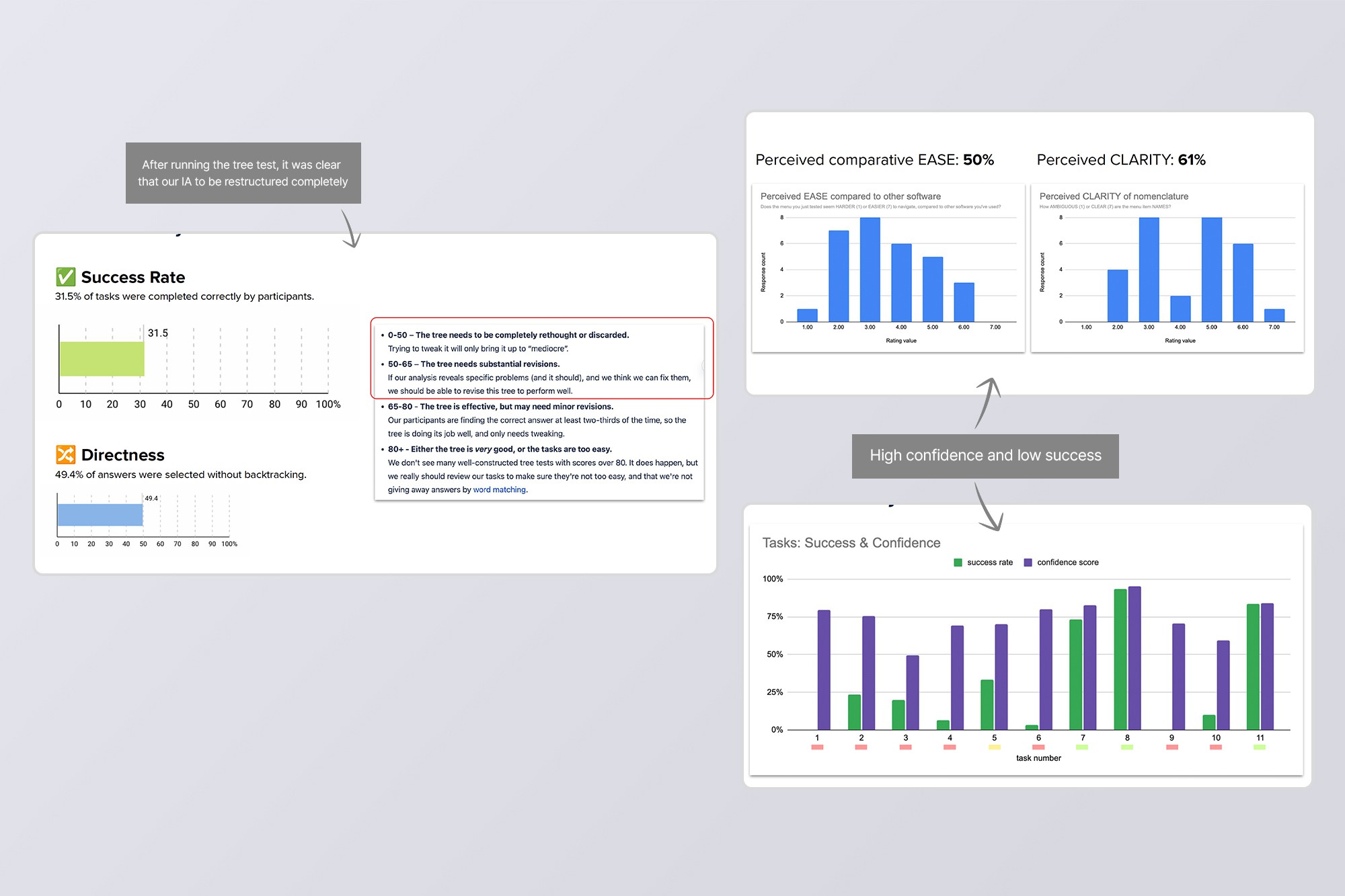
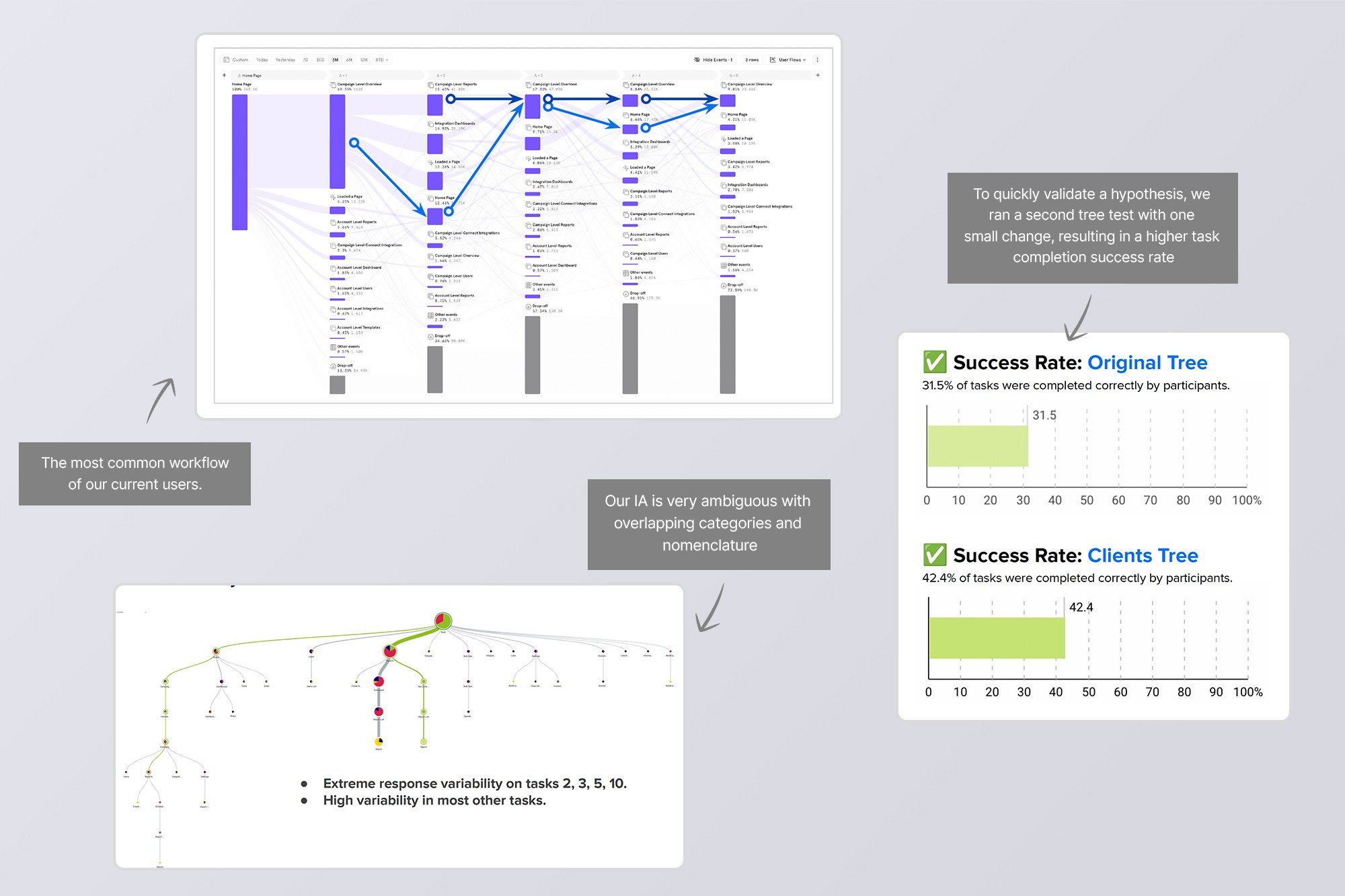
Visual "sameness" created functional confusion: When account and campaign levels looked identical, users couldn't distinguish between them, not just visually, but conceptually.
Unclear categorization killed discoverability: Grouping unrelated features together meant users couldn't build mental models of where things lived, leading to abandoned features and constant help requests.
The overlap was paralyzing: Dashboards and Reports served similar purposes but weren't clearly differentiated, forcing users to guess or ask for help every time.
We uncovered a lot of issues, so we prioritized the high-confidence, high-impact ones first:
Redesign the navigation to visually distinguish account-level from campaign-level.
Regroup related features and rename them to match what users actually expected.
Use standard interaction patterns so the navigation followed best practices,
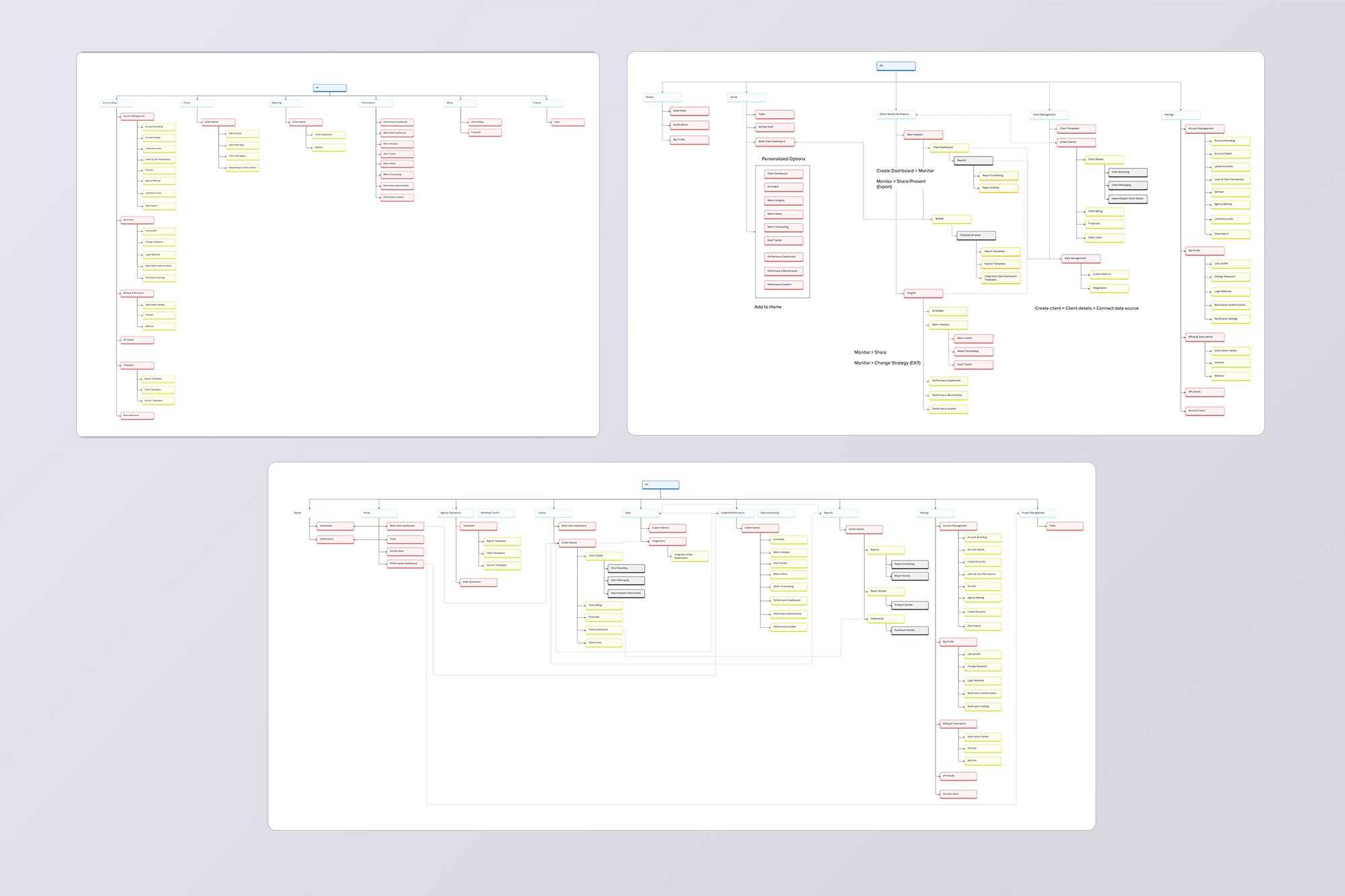
This project was all about testing hypotheses fast. We ran multiple rounds of sitemaps and card sorts, iterating quickly to nail down the structure before touching wireframes.
Sitemaps and validation
We created several sitemaps aligned with stakeholder input, addressing all the key pain points. Then we ran tree tests on two finalists to confirm they'd score better than the current structure before moving to visual designs.
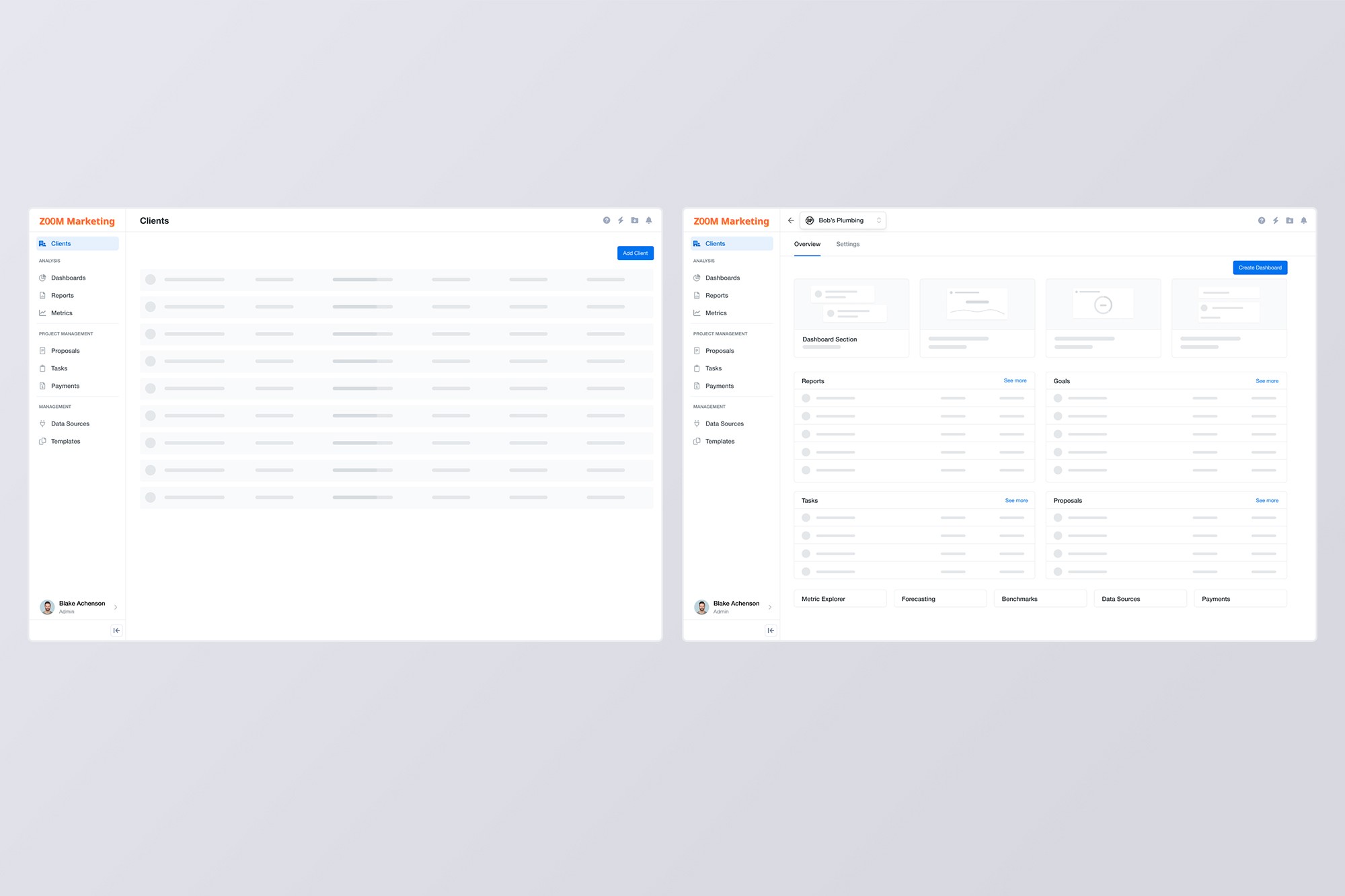
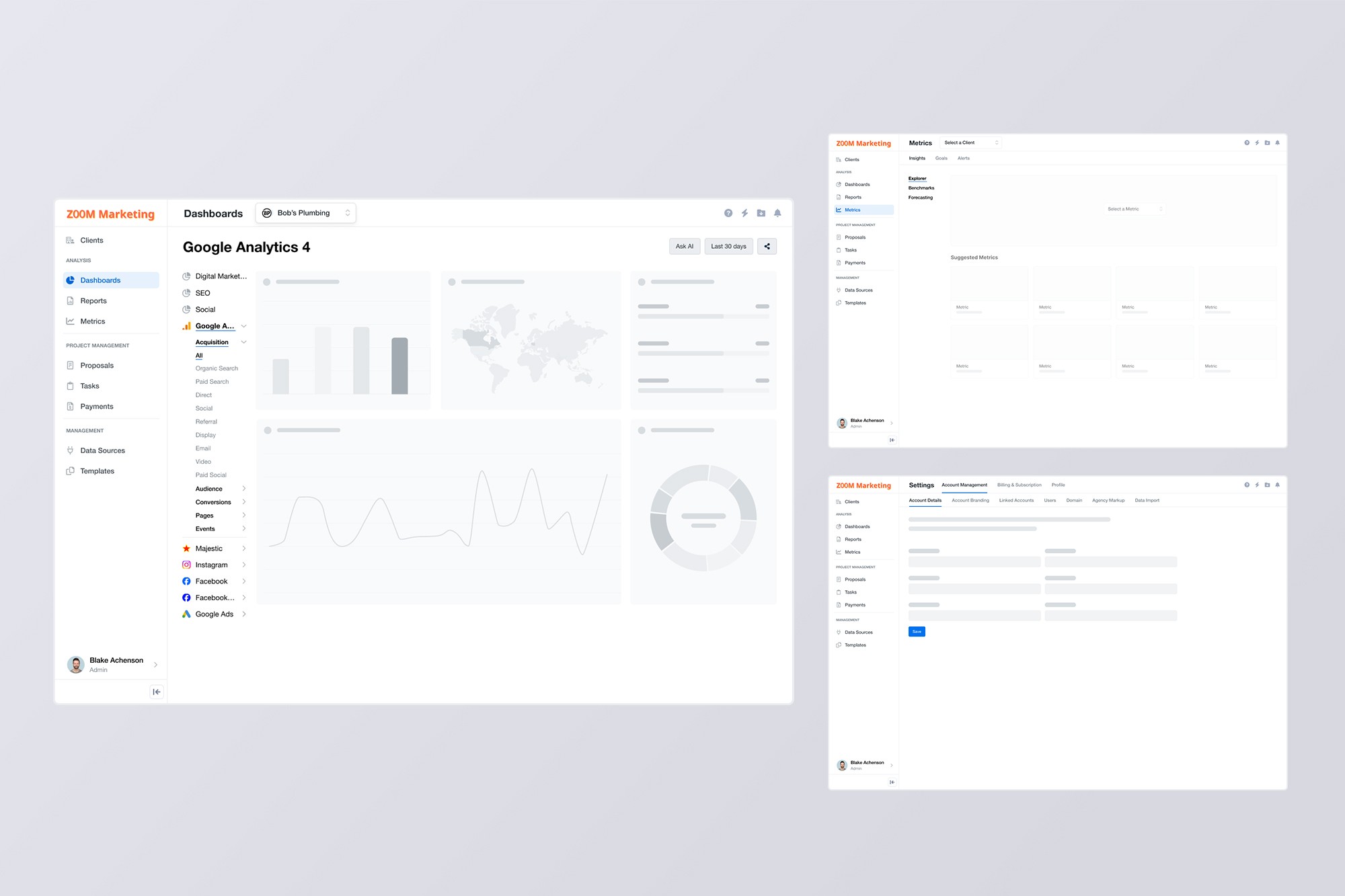
Wireframe testing
After analyzing the three tree tests, we chose the sitemap that performed the best and translated that into wireframes. We ran two user tests with the wireframes that performed well before we moved onto the high fidelity designs.
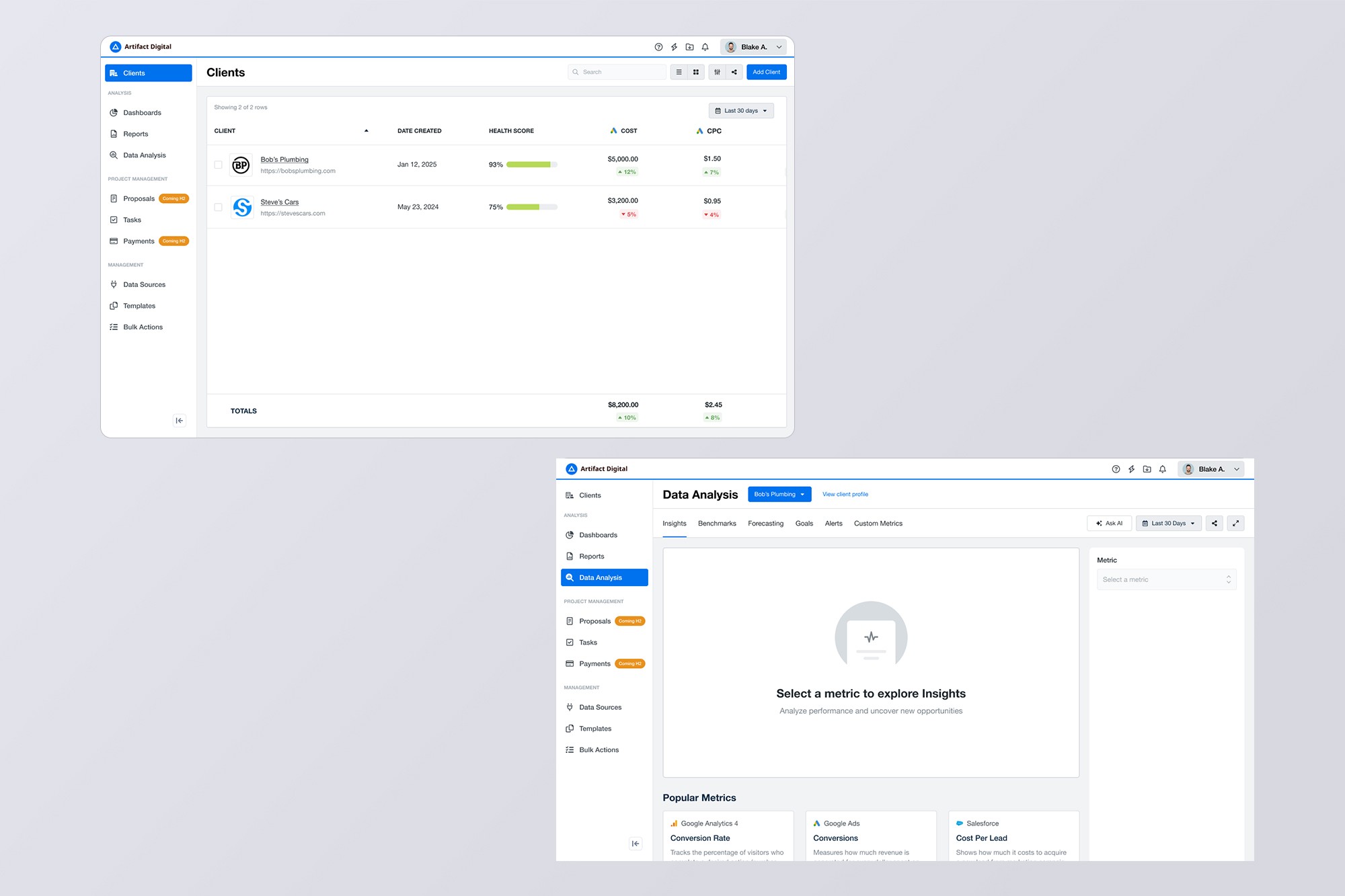
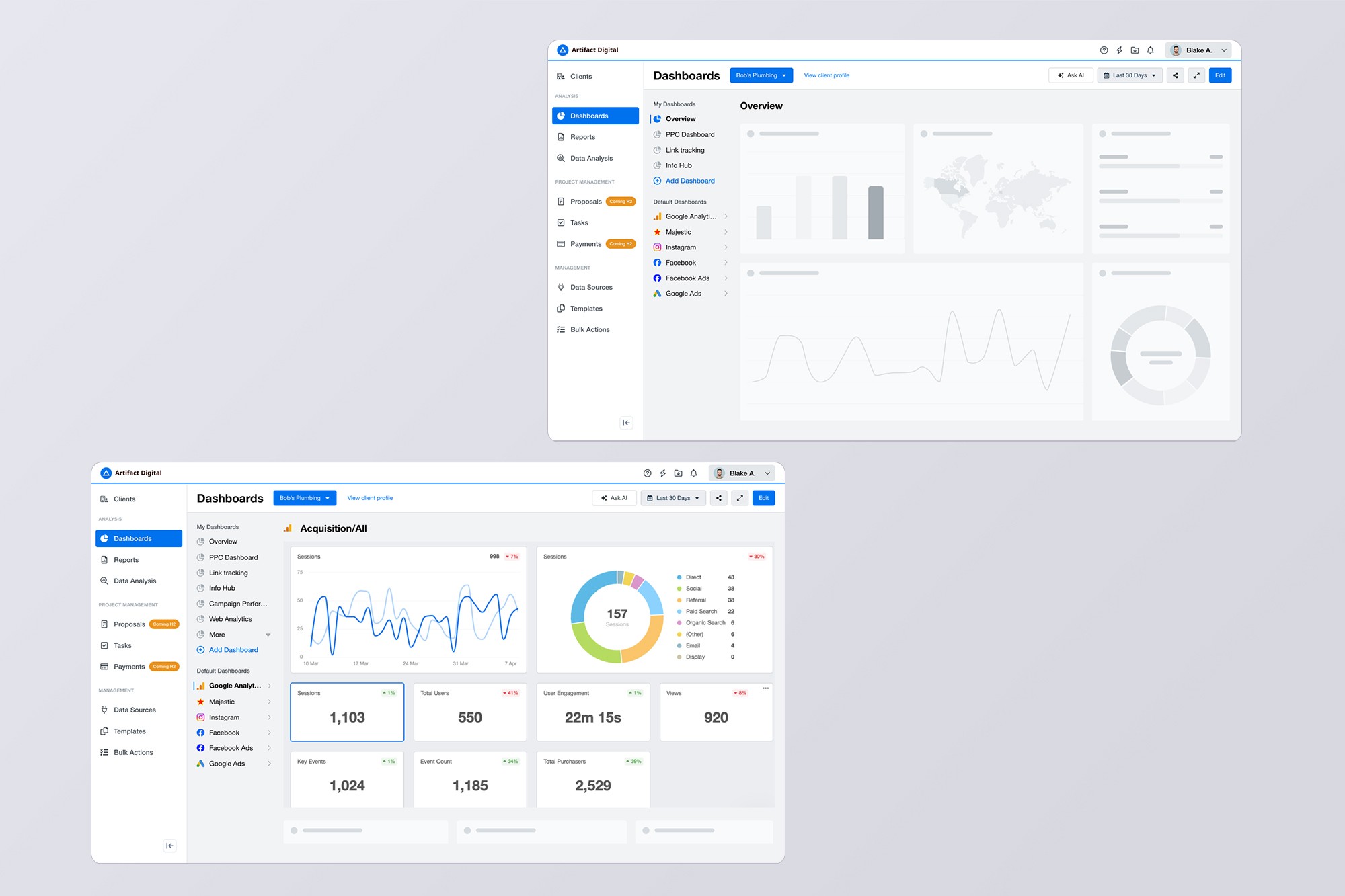
Final hi-fis
For MVP, navigation was redesigned to address our initial concerns, using more user-friendly interaction patterns and copy. We opted to do minimal changes to the rest of the UI to ensure that we can practically track success with our IA.
What happened and what did we learn?
The redesign went live after I moved on, so I didn't get to track the final impact. That said, our tree tests showed significant improvements over the old structure, and internal feedback validated that we were solving the right problems.
This project reinforced a few things I needed to hear:
Fix the foundation, even when it's hard: Navigation redesigns aren't flashy, but ignoring structural problems doesn't make them go away. This project reminded me that stepping back to fix foundational issues creates more value than stacking features on something that is broken.
Involve people early and often and test relentlessly: Testing sitemaps with stakeholders and different departments sometimes feels slow, as if we're not working towards an outcome. But this prevented us from designing something that would have fallen apart easily in the real world. We needed to catch blind spots early.